rbridge
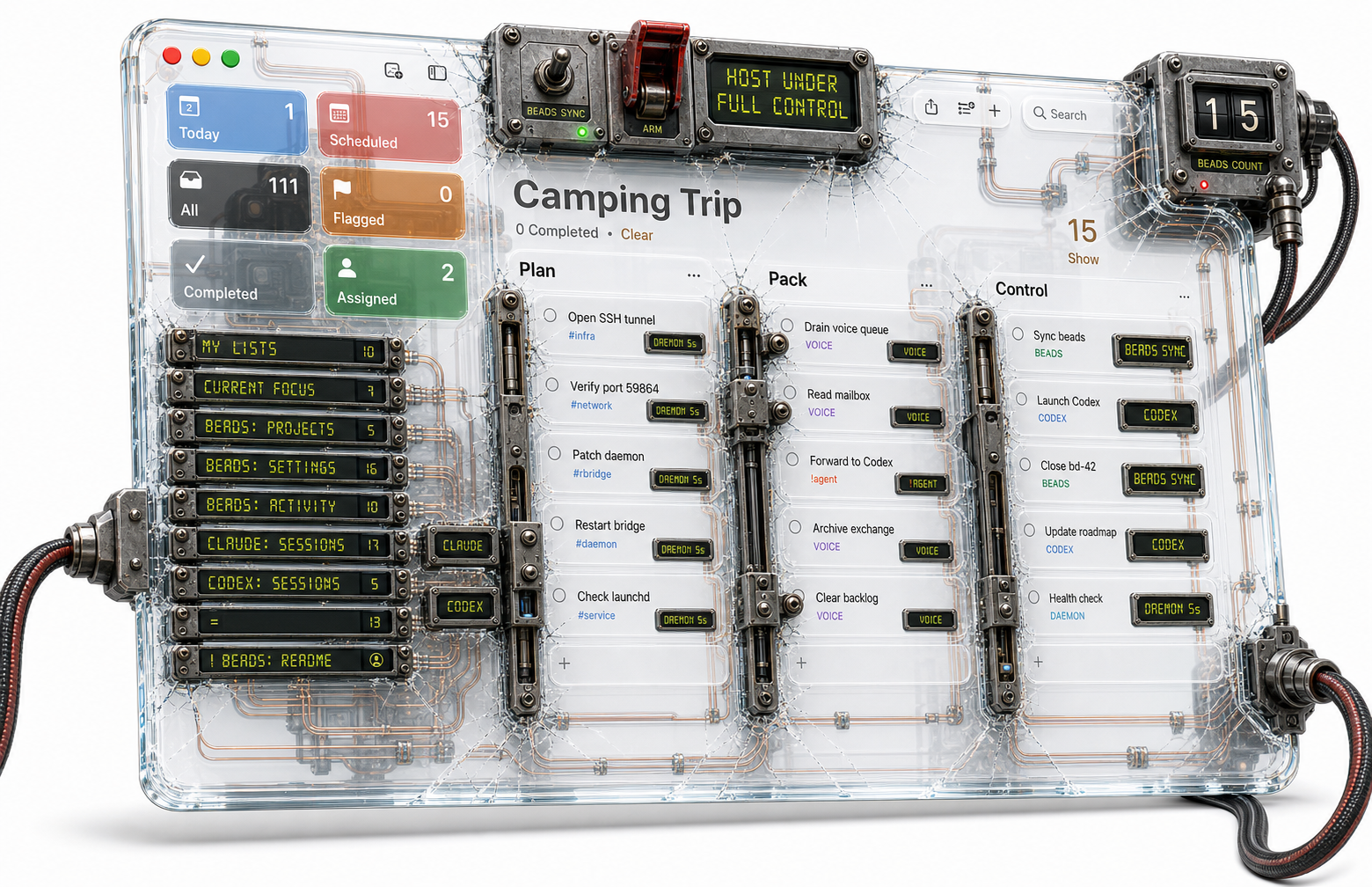
Apple Reminders as a control surface.
One daemon that turns Reminders.app into a workspace for Beads issues, Claude Code / Codex sessions, and voice exchanges with Claude Voice. Same surface, three lanes, zero new UI to learn.
Three lanes, one surface
Each lane is independent. Use any without the others.
Beads sync
One Reminders list per beads project, one reminder per issue. Edit notes on your phone, check it to close, add a reminder to file a bug.
Sessions
Two reminders lists fire claude / codex sessions: interactive Ghostty, headless capture, or multi-turn
chat right inside the reminder body.
Voice mailboxes
The project agent composes a brief, the daemon drops it in Voice: <slug>, the user walks with the voice
agent, responses come back as reminders.
The shape of the system
Three roles, two devices, one iCloud-synced calendar store. The
daemon brokers everything on the Mac side; on iOS, Claude iOS drives Reminders directly through native reminder_*_v0 tools.
The dashed lines are asynchronous — iCloud delivers reminders at its own pace (seconds to minutes depending on network). The daemon's 5-second poll is what bounds visible latency on the Mac side.
Why Reminders.app
Three properties no other UI gives you for free on Apple devices:
Always there
Pre-installed on every Mac, iPhone, iPad. No login, no app to launch, no battery cost beyond what's already running.
iCloud-synced
Edits propagate cross-device with zero infrastructure. Add a bead from your phone in airplane mode — it lands when you reconnect.
Scriptable
EventKit on macOS gives a stable Python / PyObjC binding.
Reminders are objects with titles, bodies, priorities,
completion flags, and a changed notification.
The cost: no real-time push channel from the daemon to iOS — the
in-process EKEventStoreChanged notification only fires
for local edits on the host Mac. Hence the 5-second poll. For a
personal control surface, that's well under the "feels instant"
threshold.
Where to go next
Get it running
Clean-macOS install: prerequisites, clone, doctor, launchd. About 10 minutes.
Read the daemon
Module map, ownership boundaries, what the sync cycle does every 5 seconds.
See it in action
Three end-to-end scenarios — capture from iPhone, voice walk, chat session.